Practice Qs + Explanations for Nephrology Loving Med Students.
Click
here to begin.
SCHOLARIUM — Glomerular Diseases
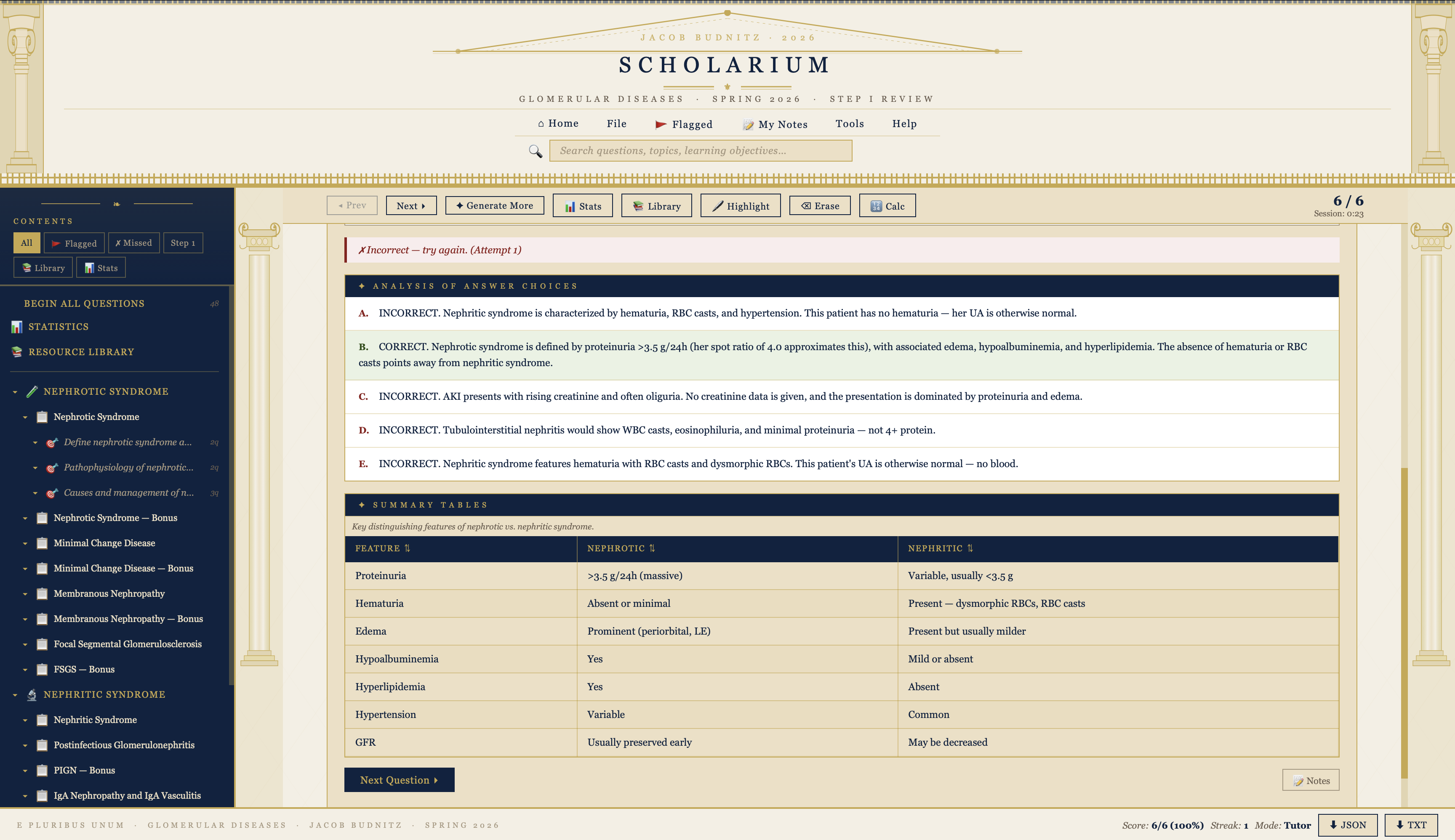
A self-contained, single-file study app for Step 1 review of glomerular pathology. 48 board-style questions organized by disease category (nephrotic, nephritic, RPGN subtypes) with explanations, images, tables, and progress tracking — all running locally in your browser with no login or server required.
Getting Started
The welcome screen shows your overall progress and a Begin All Questions button to start a full session. You can also select a specific topic from the left sidebar.
The sidebar organizes diseases by category:
Nephrotic Syndrome — MCD, Membranous Nephropathy, FSGS, and bonus questions for each
Nephritic Syndrome — PIGN, IgA Nephropathy, MPGN, and RPGN (subdivided into Type I Anti-GBM, Type II Immune Complex, and Type III Pauci-immune)
Integration — cross-cutting differential diagnosis questions
Click any category to expand it, then click a learning objective to start that question set.
Answering Questions
Each question is a clinical vignette with multiple-choice answers. Select your answer and hit Submit. If correct, the explanation and any associated images or tables are revealed. If incorrect, you can try again — but your first-attempt accuracy is tracked. After 3 wrong attempts, a hint appears.
Filters
Use the top filter bar to narrow your session:
All — every question in the bank
Flagged — questions you've flagged for review (click the flag icon on any question)
Missed — questions you got wrong on first attempt
Step 1 — questions tagged as high-yield for USMLE Step 1
Progress & Stats
Click Statistics in the sidebar to see your overall accuracy, first-try percentage, streak, and per-topic breakdown. Progress is saved in your browser's local storage — it persists between sessions on the same device.
Other Features
Search — use the search bar at the top of the sidebar to find questions by keyword
Resource Library — images, diagrams, and tables from across the question bank in one place
Notes — add personal notes to any question (pencil icon); view all notes from the sidebar
Shuffle — toggle shuffle mode to randomize question order within a session
Dark Mode — toggle the sun/moon icon in the header
Import — load a different question bank JSON via File → Import
Export — export your notes as a text file
Tips
Flag tricky questions during your first pass, then revisit them with the Flagged filter.
Use the Missed filter the day before an exam for targeted review.
The RPGN dropdown mirrors the classification you'll see on boards: Type I (anti-GBM), Type II (immune complex), Type III (pauci-immune).
Updates
Additional questions can be added upon request submitted through the contact form